Anyone who has organized a community event knows the quiet panic of the promotion phase. The date is set, the venue is booked, volunteers are signed up, and now you need a poster, a social post, a flyer, a newsletter header, and a banner for the local notice board. The only photo you have is a slightly dim shot from last year’s gathering. Free photo editor AI tools can help organizers stretch that single image into a full set of promotional materials, without a designer, a budget, or a free weekend.
Why Community Events Struggle with Visuals
Most community events are run by people who are generous with their time but short on resources. A neighborhood fair, a charity run, a school fundraiser, a faith gathering, or a local arts festival is usually organized by volunteers who juggle jobs and families. Visual design rarely ranks high on the list of available skills.
The problem is not a lack of effort. It is that promotion demands variety. A single image rarely works everywhere. A wide banner needs room for text, a social post needs a strong focal point, and a flyer needs a clean area for dates and directions. Without editing skills, organizers often reuse one awkward image across every channel, and the event ends up looking less inviting than it really is.
What an AI Photo Editor Changes
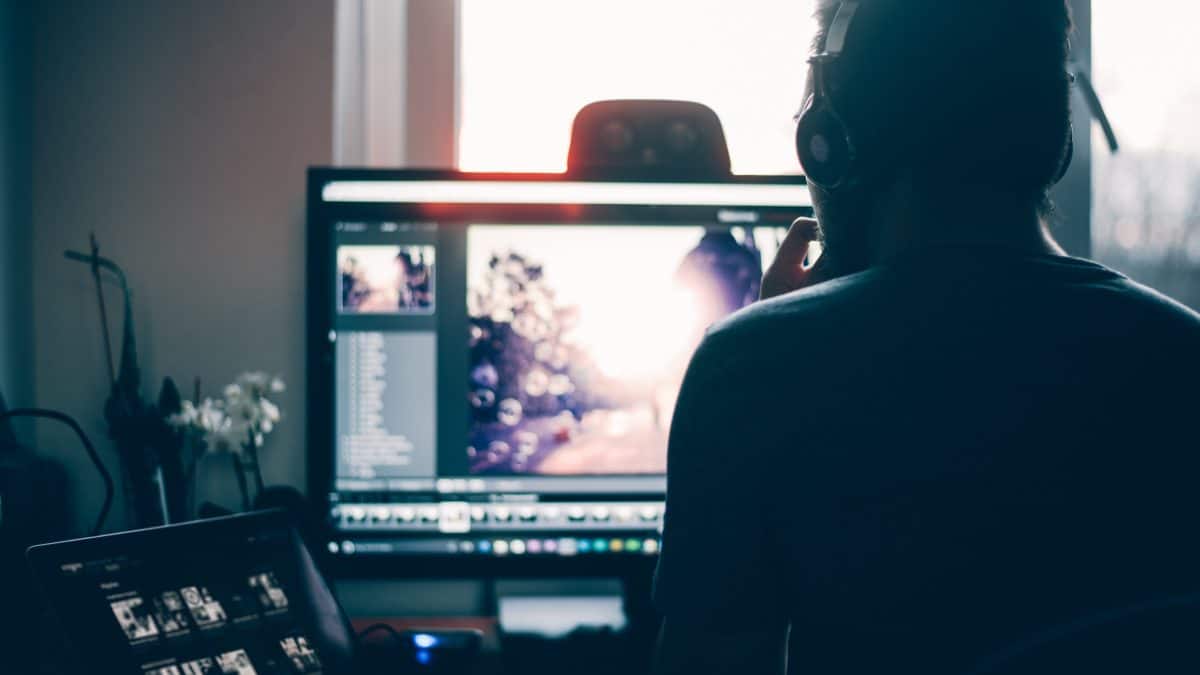
An AI photo editor lets you improve a picture by describing the change you want in plain language. You might ask for brighter lighting, a warmer mood, a cleaner background, or a style that suits a festive occasion. The tool then adjusts the image while keeping its main subject recognizable. There is no need to learn layers, masks, or complicated menus, which is exactly why this approach suits volunteers who have only an evening to spare.
Browser-based tools make it even easier, since nothing has to be installed and any laptop or tablet will do. Platforms such as Photo Editor AI let you upload a photo, describe the edit, and review the result quickly. Starting with a free option means a committee can try it on real event photos before anyone has to approve a spending line.
Turning One Photo into a Full Promotional Set
The real power lies in versatility. Imagine you have one good photo of last year’s crowd gathered in a park. With a few edits, that single image can serve several purposes.
For the poster, you can brighten the scene and soften the background so headline text stays readable. For social media, you can boost the color mood to feel energetic and welcoming. For the newsletter header, you can create a calmer version with open space for a title. For a flyer, you can simplify the scene so key details such as date, time, and location stand out clearly. The event stays recognizable in every version, but each one is tuned to its job.
Matching the Mood to the Occasion
Different events call for different atmospheres, and editing helps communicate that before anyone reads a word. A charity fun run benefits from bright, energetic tones that suggest movement and optimism. A cultural festival may call for rich, warm colors that reflect celebration. A quiet community garden day might suit soft natural light and gentle greens. A holiday market could lean toward cozy, glowing evening tones.
Because the edit starts from a real photo, the mood is applied to something authentic. Residents recognize their own park, hall, or street, which builds a sense of ownership and trust that a generic stock image rarely achieves.
Fixing the Everyday Photo Problems
Event photos are rarely taken under ideal conditions. Volunteers shoot on phones, often at awkward times of day. Common problems include gloomy skies, harsh shadows, cluttered backgrounds, and dim indoor lighting. An AI photo editor can address many of these. A grey afternoon can be brightened, a distracting object can be reduced, and a flat indoor scene can be warmed up so it feels lively rather than dull.
These improvements matter because promotional images work on first impressions. People scrolling through a community group feed decide within a moment whether to stop, and a clear, bright, welcoming picture is far more likely to earn that pause.
A Simple Workflow for Volunteer Teams
A straightforward routine keeps things manageable even for a team with no design background. Start by gathering the best photos from past events, favoring sharp, well-composed shots. Decide where each image will appear and what it needs to do. Write a short, clear instruction describing the mood, lighting, and any part of the image that must stay unchanged. Generate a few versions, compare them as a group, and choose the one that feels most inviting. Then add your event name, date, and location using a simple layout tool, and compress the final file so it loads quickly on phones. Saving the wording that worked well gives next year’s team a head start.
Mistakes Organizers Should Avoid
Over-editing is the most common trap. Heavily saturated colors and artificial-looking effects can make a modest local event seem like something it is not, which leads to disappointment on the day. Promotional images should create excitement without misrepresenting the venue, the size of the crowd, or the activities on offer.
Privacy deserves careful thought too. Community photos often show neighbors, children, and volunteers. Make sure you have permission to use images of identifiable people, especially minors, and follow your organization’s photo policy. Check edited images for odd distortions in faces, hands, or text before publishing. Finally, read the terms of any free tool so you understand limits on resolution, number of edits, and use in printed or paid materials.
Keeping the Human Touch
Technology can speed up design, but it cannot replace the warmth that makes community events special. The best promotional images still reflect real people and real places, and organizers know their audience better than any tool does. Use AI to handle the polishing, and let local knowledge guide the message, the tone, and the choice of which moments to show. For larger milestones, such as an anniversary celebration or a major fundraiser, a professional photographer or designer may still be a worthwhile investment.
Conclusion
Promotion should not drain the energy that organizers need for the event itself. By treating each photo as raw material, a community team can create posters, social posts, flyers, and newsletters that feel consistent and inviting, all from images they already own. Choose one photo from your last event today, upload it to Photo Editor AI, and try a brighter, more welcoming version. A Free photo editor AI may turn a forgotten snapshot into the image that fills your next event.